Birthday Capsules
Let members write ahead of time, then reveal those wishes only when the birthday window opens.
Bdayblaze turns server birthdays into polished celebration moments with Birthday Capsules, Quests, Surprises, Timeline cards, private Studio controls, safe media validation, and restart-safe delivery that keeps the experience calm for admins and memorable for members.
Server-scoped birthdays
Private previews
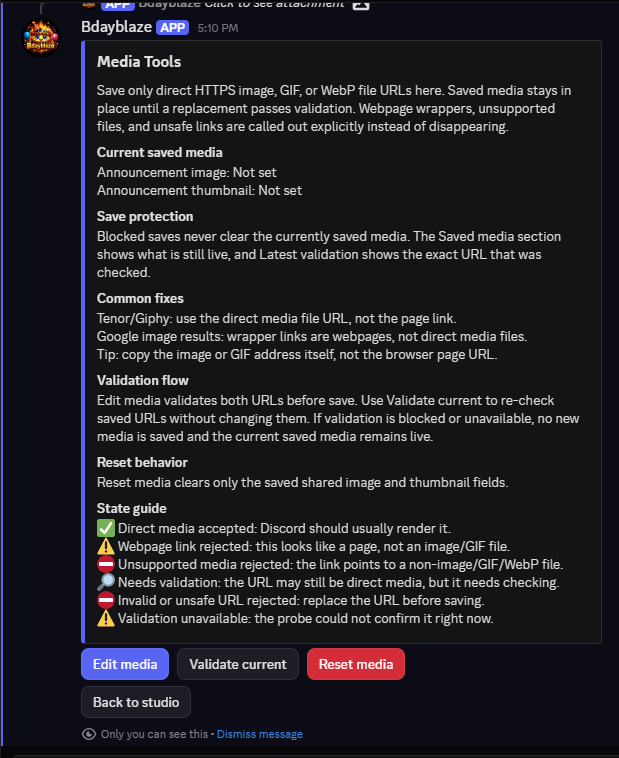
Safe media checks
Bounded recovery
Celebration system
Bdayblaze gives every server a richer birthday loop: members can prepare wishes, celebration posts can unlock moments over time, and admins can keep the whole release elegant instead of noisy.
Let members write ahead of time, then reveal those wishes only when the birthday window opens.
Add wish goals, shared-post reaction goals, and optional check-ins without broad activity tracking.
Keep rewards compact, auditable, and server-safe with optional manual Nitro follow-up.
Give members one clean view for countdowns, active celebration state, capsule reveals, and compact history.
Admin Studio
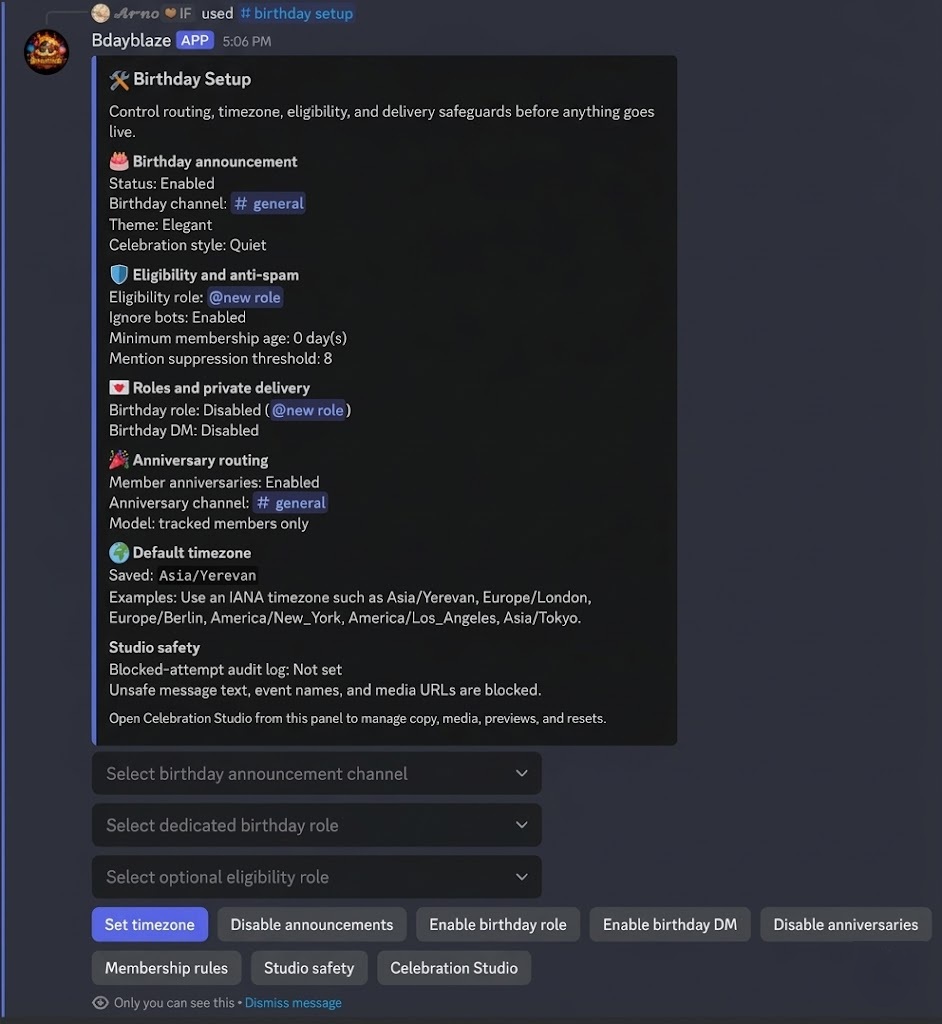
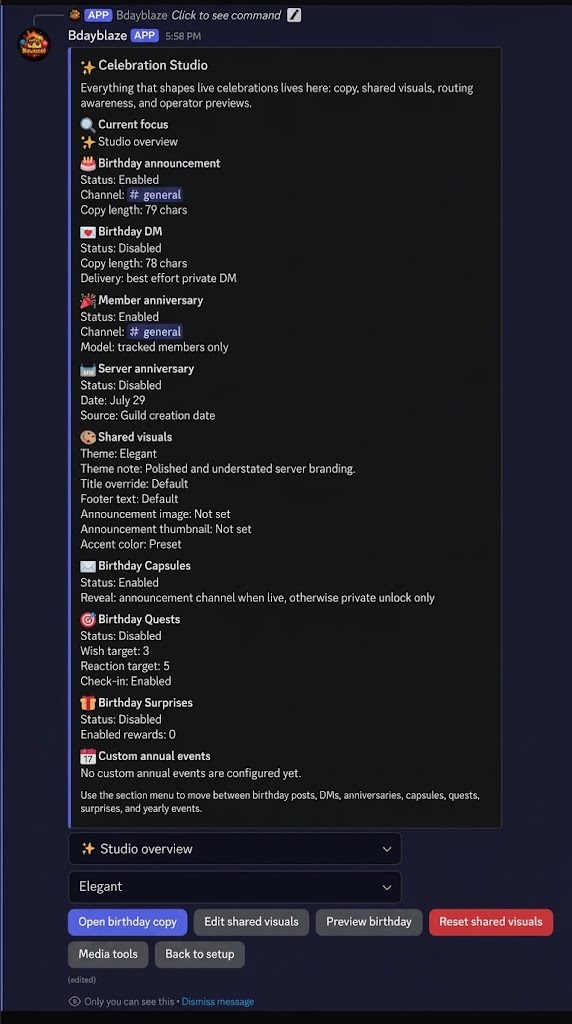
Celebration Studio, Birthday Setup, and Media Tools keep the release flow close to where admins already work: routing, copy, visuals, safety, previews, analytics, and recovery-minded delivery stay in private Discord surfaces.
How it works
Month and day are required, birth year is optional, and visibility stays scoped to the current server.
Studio, setup, safety checks, analytics, and previews remain operator-facing.
Announcements and celebration windows use effective timezones and persisted event records.
Capsules unlock, quests progress, surprises stay compact, and recovery remains bounded after restarts.
Privacy and reliability
The product story is deliberately practical: no Message Content intent, no global birthday profile, no individual reactor identity records for reaction quests, and no automated Nitro gifting flow.
Birthday month/day, optional birth year, optional timezone override, and visibility choices stay tied to the current server.
Setup, Studio, previews, analytics, health checks, import, and export flows stay private to the admin using them.
Direct image, GIF, and WebP links are checked before save; failed replacement saves do not wipe the last working media.
Events are persisted before side effects run, recovery is bounded, and health endpoints keep hosted deployments honest.
Launch Bdayblaze
Install the bot, open setup, preview the Studio flow, and ship celebrations that look intentional from the first post.